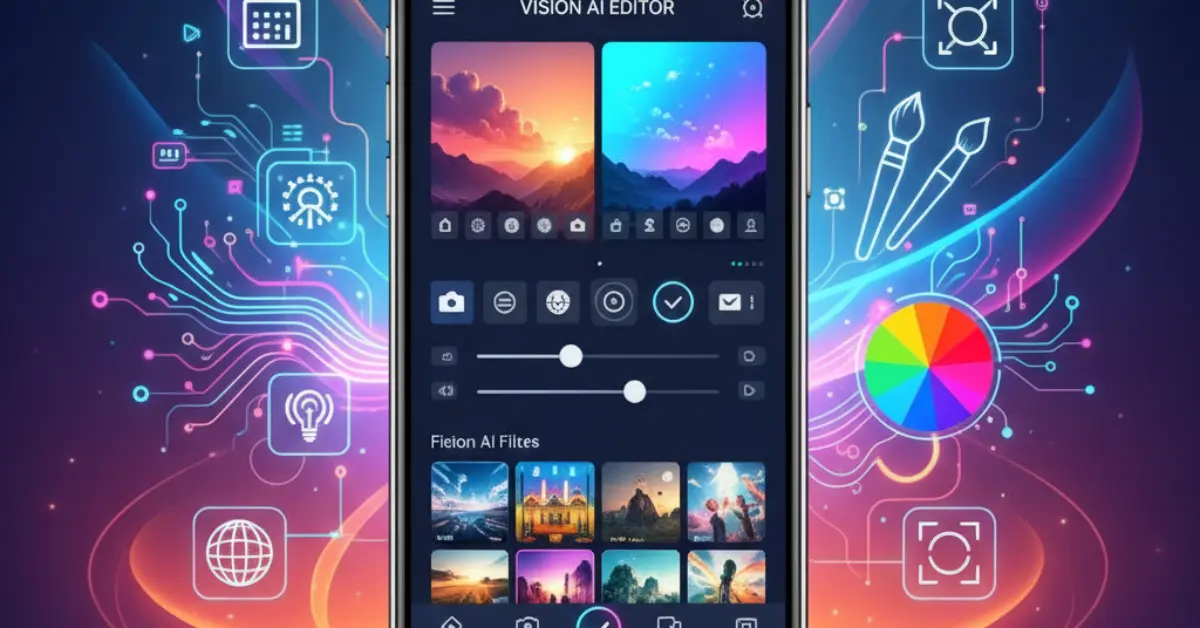
How an AI Photo Editor Can Change Your Photos for Free
Have you ever taken a photo that looked a little dark, blurry, or just not quite right? Maybe you wished the sky was bluer, or that a stranger in the background would disappear. In the past, fixing these problems was hard. You needed to pay a professional or learn difficult computer programs. But today, things are different. There is a new tool called an AI photo editor that makes fixing pictures easy for everyone.
This article will explain exactly what an AI photo editor is in simple words. We will look at how it works, why it is helpful, and the cool things it can do for your pictures. You don’t need to be a computer expert to understand this. By the end, you will know how to make your family photos and selfies look amazing.
What Is an AI Photo Editor?
Let’s start with the basics. “AI” stands for Artificial Intelligence. That sounds like a big, scary word, but it just means a computer program that can think a little bit like a human brain. When we talk about an AI photo editor, we are talking about a smart camera app or computer program.
Imagine you have a friend who is an amazing artist. When you show them a photo, they instantly know how to make it better. They know where to add light, how to smooth out skin, and how to make colors pop. An AI photo editor is like that artist friend, but it lives inside your phone or computer.
Regular photo editors are like a box of pencils. You have to pick the color, sharpen the pencil, and do all the drawing yourself. If you make a mistake, you have to erase it. An AI photo editor is different. It does the hard work for you. You just tell it what you want, or sometimes you just press one button, and it fixes the photo instantly.
How Does It Work?
You might wonder how a computer program knows what a “good” photo looks like. It learns by studying. The people who make these programs show the AI millions of photos. They show it photos of happy people, beautiful sunsets, clear skies, and cute pets.
The AI looks at these millions of photos and learns patterns. It learns that the sky is usually blue, not green. It learns that teeth are usually white, not yellow. It learns that faces should be clear, not blurry.
So, when you upload your picture to an AI photo editor, the program looks at your photo and compares it to all the millions of photos it has seen before. If your sky looks gray, the AI remembers that skies are usually blue and offers to fix it for you. It happens so fast that it feels like magic.
Why Use an AI Photo Editor?
There are many reasons why people love using these smart tools. Here are the biggest benefits.
It Saves You Time
In the old days, removing a pimple from a face in a photo could take 20 minutes. You had to zoom in, carefully paint over the spot, and hope it looked natural. With an AI photo editor, you just tap the “blemish remover” button, and it is gone in one second. It saves you hours of work.
It Saves You Money
Hiring a professional photographer or photo editor is very expensive. They charge a lot of money because they spent years learning their skills. An AI photo editor is often free or very cheap. You can get professional-looking results without spending hundreds of dollars.
It Is Very Easy to Learn
You do not need to go to school to use these tools. Most of them are made for regular people. If you can use a smartphone, you can use an AI photo editor. The buttons usually have simple names like “Fix Lighting” or “Remove Background.” You don’t need to know technical words like “saturation” or “contrast.”
It Rescues Bad Photos
We all have photos that are special memories but look terrible. Maybe the photo of your grandmother’s birthday is too dark. Maybe the picture of your baby’s first steps is blurry. An AI photo editor can often save these photos. It can add light where there is darkness and sharpen lines that are blurry. It helps you keep your memories beautiful.
Amazing Features You Can Use Today
Now that we know what it is, let’s look at the specific things an AI photo editor can do. These are common features you will find in many apps on your phone or computer.
1. Removing Backgrounds
This is one of the most popular features. Let’s say you took a great photo of your dog, but the background is a messy living room with dirty laundry. An AI photo editor can see the dog and see the messy room. With one click, it can erase the room and leave just the dog. You can then put a plain white color behind the dog, or even put the dog in a picture of a park!
2. Erasing Unwanted Objects
Have you ever taken a perfect photo of your family on vacation, but there is a trash can in the corner? Or maybe a stranger walked behind you right when you snapped the picture? The AI photo editor has a tool often called “Magic Eraser.” You just paint over the trash can or the stranger with your finger. The AI looks at what is around the object (like grass or a wall) and fills in the space. It makes the unwanted object disappear as if it was never there.
3. Fixing Faces and Skin
We all want to look our best in photos. AI tools are very good at faces. They can find your eyes, nose, and mouth automatically. They can:
- Smooth out skin to hide wrinkles or pimples.
- Make teeth look whiter.
- Remove “red eye” from a flash.
- Make eyes look brighter and more awake.
- You can choose how much fixing you want. You can make a small change so it looks natural, or a big change for a glamorous look.
4. Improving Colors and Light
Sometimes a photo looks dull. The colors aren’t bright, or the whole picture looks gray. An AI photo editor usually has a button called “Auto Enhance” or “Magic Fix.” When you press this, the AI looks at the whole photo. It makes the dark parts brighter and the bright parts clearer. It makes the colors of grass, sky, and clothes look rich and vibrant. It turns a boring photo into an exciting one instantly.
5. Restoring Old Photos
Do you have old, black-and-white photos of your grandparents? These photos might be scratched, torn, or faded. Some special AI tools are made just for this. You can take a picture of the old photo with your phone. The AI can fix the scratches and tears. It can even add color to a black-and-white photo! It guesses the colors of the clothes and skin based on its learning. It brings history back to life.
6. Changing the Sky
This feature is very fun. If you took a photo of a house or a landscape on a cloudy, gray day, the photo might look sad. An AI photo editor can find the sky in your picture and swap it out. You can choose a bright blue sunny sky, a beautiful sunset with pink clouds, or even a night sky with stars. The AI adjusts the light in the rest of the photo to match the new sky, so it looks real.
Daily Examples: Who Needs This Tool?
You might think, “I am not a photographer, so do I really need this?” The answer is yes! Here are some simple ways regular people use an AI photo editor in their daily lives.
The Small Business Owner
Imagine you bake cookies and want to sell them. You take a picture of your cookies on your kitchen table. The lighting is yellow, and there are crumbs everywhere. If you post that photo, people might not want to buy them.
Using an AI photo editor, you can brighten the photo so the cookies look delicious. You can remove the crumbs from the table. You can even blur the background so people focus only on the cookies. Now, your cookies look professional, and you might sell more.
The Proud Parent
Parents take thousands of photos of their kids. But kids never sit still! Often, the best smile happens when the photo is a little blurry. Or maybe the kid has food on their face. An AI tool can sharpen the blurry face and wipe away the food stain digitally. Now you have a perfect photo to send to Grandma or put in a frame.
The Job Seeker
When you look for a job, you often need a photo for your profile online. You might not have money for a professional headshot. You can ask a friend to take a photo of you against a wall. Then, use an AI photo editor to fix the lighting, remove any shadows on your face, and blur the background. It makes you look professional and serious, which can help you get hired.
The Online Seller
Do you sell old clothes or furniture online? Photos are very important. If you are selling a chair, but your messy garage is in the background, people might not click on it. You can use AI to remove the background and put the chair on a clean white background. This makes your item look cleaner and more valuable.
How to Choose the Right AI Photo Editor
There are many apps out there. How do you pick one? Here are three simple tips.
1. Look for “One-Tap” Features
Since you want something easy, look for apps that promise “one-tap” fixes. If the app store description talks about “layers,” “curves,” or “masks,” it might be too complicated. Look for words like “automatic,” “instant,” and “magic.”
2. Check the Price
Many apps are free to download, but they might ask for money later. Some let you edit for free but put a watermark (their logo) on your picture. Others give you a few free edits a day. Read the reviews to see if people say it is truly free or if it costs too much money.
3. Read User Reviews
See what other people say. If people say, “This is so easy to use” or “Fixed my photos instantly,” it is probably a good choice. If they say, “Too hard to understand” or “Keeps crashing,” find a different one.
Is It Cheating?
Some people worry that using an AI photo editor is like lying. They think a photo should show exactly what happened. This is a personal choice.
Think of it like wearing makeup or combing your hair before you go out. You are still you, but you are presenting your best self. Using AI to make a photo brighter or remove a trash can isn’t really lying; it is just making the picture nicer to look at.
However, be careful not to change too much. If you use AI to change the shape of your face or body completely, you might not look like yourself anymore. It is best to use these tools to enhance (make better) what is already there, not to create something fake.emove a trash can isn’t really lying; it is just making the picture nicer to look at.
Common Mistakes to Avoid
Even though these tools are smart, they can still make mistakes. Here is what to watch out for.
Don’t Overdo It:
Sometimes, we get excited and use every feature. We smooth the skin too much until the person looks like a plastic doll. We make the colors so bright they hurt our eyes. Remember, less is usually more. A good edit looks like no one edited it at all.
Watch the Edges:
When removing a background, look closely at the edges of the person or object. Sometimes the AI accidentally cuts off a piece of hair or an ear. Make sure the cutout looks smooth before you save it.
Keep the Original:
Always save your edited photo as a new file. Keep the original photo just in case you don’t like the changes later. Once you save over the original, you can’t always get it back.
The Future of Photo Editing
Technology moves very fast. The AI photo editor tools we have today are much better than the ones from two years ago. In the future, they will be even smarter.
Soon, you might be able to tell your phone, “Change my shirt to red,” and it will just do it. You might be able to say, “Make everyone in this group photo look at the camera,” and the AI will fix everyone’s eyes.
This technology is making art accessible to everyone. You don’t need expensive cameras or expensive degrees. You just need your phone and a little bit of creativity.
Conclusion
An AI photo editor is a powerful helper that fits in your pocket. It takes the difficult parts of photography and solves them with smart computer thinking. Whether you want to save a blurry photo of your child, sell items online, or just make your selfies look brighter, these tools are for you.
You don’t need to be afraid of the technology. It is designed to be simple. Start by downloading a free app and playing with the buttons. Try the “Magic Fix” or “Auto Enhance” features first. You will be amazed at how much better your photos can look in just a few seconds.
So go ahead, take those pictures, and let the AI help you make them perfect. Your memories deserve to look their best!