Guide to Understanding the Modern AI Image Generator
The landscape of digital creativity has shifted dramatically. A few years ago, creating a stunning, photorealistic image required either expensive photography equipment or mastery of complex digital painting software. Today, a simple text prompt typed into a chat box can summon visuals that rival the work of seasoned professionals. This revolution is driven by the AI image generator, a tool that is reshaping how we conceive and produce visual media.
Whether you are a graphic designer looking to speed up your workflow, a marketer needing unique assets, or a developer interested in the underlying tech, understanding these tools is no longer optional—it’s essential. This guide dives deep into the mechanics, applications, and future of AI-driven art.
What Is an AI Image Generator?
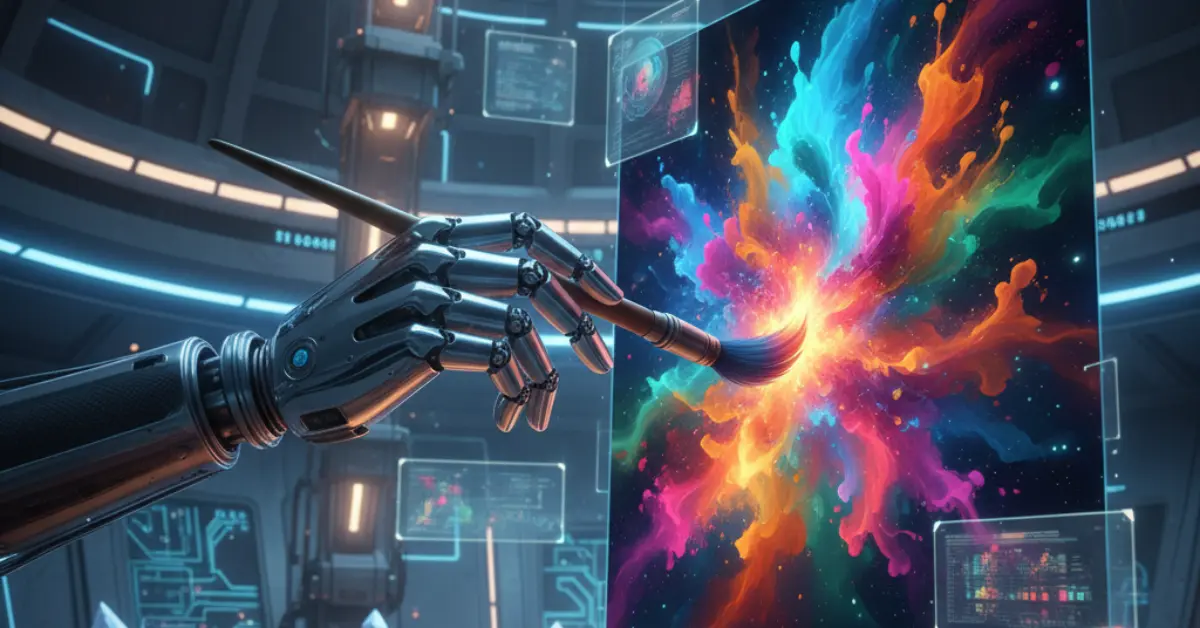
An AI image generator is a software application that uses artificial intelligence algorithms to create images from textual descriptions. These tools leverage deep learning models trained on massive datasets of image-text pairs. When you input a prompt like “a futuristic city on Mars in the style of cyberpunk,” the AI interprets the semantic meaning of your words and synthesizes a new image that matches your description.
Unlike traditional photo editing software, which manipulates existing pixels, generative AI creates entirely new data. It doesn’t just collage together bits of existing photos; it “imagines” a new composition pixel by pixel based on its training.
The Evolution from GANs to Diffusion
The journey to modern generators has been rapid. Early attempts often used Generative Adversarial Networks (GANs). While GANs were revolutionary, they often struggled with high-fidelity coherence and diversity.
The current gold standard relies on Diffusion Models. These models have unlocked a level of detail and artistic control previously thought impossible for machines. Tools like Midjourney, DALL-E 3, and Stable Diffusion all operate on these advanced principles, making the term “AI image generator” synonymous with high-quality, on-demand creativity.
How Do AI Image Generators Work?
To truly appreciate the power of an AI image generator, it helps to peek under the hood. While the math is complex, the core concepts are surprisingly intuitive.
The Training Process: Learning to See
Before an AI can generate an image, it must learn what images look like. This involves training a neural network on billions of images scraped from the internet, each associated with a text caption. The model learns to associate the word “cat” with the visual patterns of whiskers, fur, and pointed ears. It learns styles, lighting, textures, and composition by analyzing these vast datasets.
The Magic of Diffusion
Most modern generators use a process called “diffusion.” Imagine taking a clear photograph and slowly adding static (noise) to it until it becomes unrecognizable, random gray snow. This is the “forward diffusion” process.
The AI is trained to do the reverse. It learns how to take a canvas of random noise and gradually remove the static to reveal a clear image. When you provide a text prompt, you are guiding this denoising process. The AI starts with pure noise and, over several steps, refines it into an image that matches your text description.
CLIP: Connecting Text and Images
A crucial component in this process is often a model like CLIP (Contrastive Language-Image Pre-training). CLIP acts as a bridge between text and visuals. It evaluates how well a generated image matches the given text prompt. During the generation process, the system uses this feedback to steer the image closer to the user’s intent.
Key Technical Concepts
- Latent Space: A compressed mathematical representation of all possible images the AI can create. Navigating this space allows for smooth transitions between different concepts.
- Prompt Engineering: The skill of crafting inputs that guide the AI effectively. Specific words trigger specific visual pathways in the model’s neural network.
- In-painting/Out-painting: Advanced features where the AI fills in missing parts of an image (in-painting) or extends the borders of an image beyond its original frame (out-painting)
Popular Use Cases for AI Image Generators
The utility of an AI image generator extends far beyond just making fun internet memes. Industries across the board are integrating these tools into their daily operations.
1. Marketing and Advertising
Marketing teams are under constant pressure to produce fresh content. AI generators allow them to:
- Create Concept Art: Quickly visualize campaign ideas before a photoshoot.
- Generate Social Media Assets: Produce unique visuals for Instagram or LinkedIn posts without worrying about stock photo licenses.
- A/B Testing: Generate dozens of variations of an ad creative to see which color scheme or layout performs best.
2. Game Development and Entertainment
For indie developers and major studios alike, asset creation is a bottleneck. AI helps by:
- Texture Generation: Creating seamless textures for 3D models (wood, stone, alien skin).
- Character Design: rapid prototyping of character concepts.
- Skyboxes and Backgrounds: Generating immersive 360-degree environments.
3. Product Design and Fashion
Designers use AI to brainstorm. A fashion designer might prompt “avant-garde winter coat made of recycled plastic, blue and silver,” and get ten distinct designs in seconds. This accelerates the ideation phase, allowing designers to cherry-pick the best elements for physical production.
4. Web Design and UI/UX
Finding the perfect placeholder image or custom icon set can be tedious. Web designers use AI to generate specific assets that match a client’s brand palette perfectly, rather than searching through generic stock libraries.
5. Education and Storytelling
Teachers can generate visuals to illustrate complex historical events or scientific concepts. Authors use AI to visualize characters and settings for their novels, sometimes even using the art for book covers or promotional materials.
Benefits and Challenges of Using an AI Image Generator
Like any disruptive technology, generative AI comes with a mixed bag of significant advantages and notable hurdle
The Benefits
Unmatched Speed and Efficiency
The most obvious benefit is speed. What used to take a concept artist days can now be iterated upon in minutes. This allows for rapid prototyping and faster time-to-market for creative projects.
Cost-Effectiveness
For small businesses or solopreneurs, hiring a professional illustrator for every blog post or newsletter is financially impossible. An AI image generator provides a high-quality alternative at a fraction of the cost.
Democratization of Creativity
You no longer need to know how to hold a brush or use the Pen tool in Photoshop to visualize your ideas. If you can describe it, you can create it. This lowers the barrier to entry for visual storytelling.
Infinite Variation
Stuck on a design? AI can generate 50 variations of a logo or layout in the time it takes to grab a coffee. It serves as an tireless brainstorming partner that never gets creative block.
The Challenges
Ethical and Copyright Concerns
This is the elephant in the room. AI models are trained on billions of images, many of which are copyrighted works by human artists. This has sparked heated debates and lawsuits regarding intellectual property. Who owns the copyright to an AI-generated image? Does the training process constitute “fair use”? These legal questions are still being settled.
Quality Control and “Hallucinations”
AI is not perfect. It often struggles with specific details, most notoriously human hands (though this is improving). It can also “hallucinate” weird artifacts, text that is illegible gibberish, or anatomically impossible figures. Professional use often requires human retouching.
Bias in Training Data
If the dataset contains biases, the AI will reproduce them. For example, if the training data mostly features male doctors, the AI might default to generating images of men when asked for a “doctor” unless prompted otherwise. Users need to be aware of these biases to avoid perpetuating stereotypes.
Brand Consistency
While AI is great for one-off images, maintaining consistent characters or styles across a series of images can be difficult. Getting the exact same character in five different poses often requires advanced techniques and fine-tuning that goes beyond simple prompting.
Optimizing Your Workflow: Tips for Success
To get the most out of an AI image generator, you need to treat it as a tool, not a magic wand. Here are strategies to improve your results.
Master the Art of Prompting
“Prompt Engineering” is a real skill.
- Be Specific: Instead of “a dog,” try “a golden retriever puppy running through a field of lavender, golden hour lighting, cinematic depth of field.”
- Define the Style: Use terms like “oil painting,” “vector art,” “3D render,” “isomeric view,” or “pencil sketch.”
- Technical Keywords: terms like “4k,” “highly detailed,” “Unreal Engine 5,” and “octane render” often trigger higher quality outputs because they are associated with high-quality images in the training data.
Use Negative Prompts
Many tools allow you to specify what you don’t want. Using negative prompts like “blurry,” “distorted,” “low quality,” or “bad anatomy” can significantly clean up your results.
Iterate and Refine
Don’t expect the first result to be perfect. Generate a batch, pick the best one, and use features like “variations” to refine it. Use image-to-image features where you upload a rough sketch to guide the composition.
Post-Processing is Key
For professional results, take the AI output into an editor like Photoshop. Fix the weird eyes, color correct the lighting, and upscale the resolution. The AI gets you 90% of the way there; the human touch finishes the job.
Future Trends in AI Image Generation
The technology is moving at breakneck speed. Here is what we can expect in the near future.
1. Video and 3D Generation
Static images are just the beginning. We are already seeing the emergence of text-to-video and text-to-3D models. Soon, you will be able to generate short film clips or fully rigged 3D game assets with the same ease as generating a JPEG.
2. Personalized Models
We are moving towards smaller, fine-tuned models trained on specific datasets. A company could train a model exclusively on their brand assets, ensuring that every image generated adheres strictly to their brand guidelines and color palette.
3. Real-Time Generation
As hardware improves, generation times will drop to milliseconds. Imagine a video game where the textures and environments are generated in real-time based on the player’s actions, creating a truly infinite and unique world for every player.
4. Better Text Integration
Currently, AI struggles to render legible text within images (like a sign on a shop). Newer models are solving this, allowing for the creation of perfect logos, posters, and book covers with correct typography directly from the prompt.
5. Ethical Guardrails and Watermarking
To address deepfakes and copyright issues, we will see robust standards for “watermarking” AI content. Metadata standards (like C2PA) will help platforms and users identify whether an image is human-made or synthetic.
Conclusion
The AI image generator is not a fleeting trend; it is a fundamental shift in the creative workflow. It empowers creators with speed and variety while challenging us to rethink the nature of art and copyright.
For the tech-savvy professional, the path forward is adaptation. By understanding how these tools work, acknowledging their limitations, and mastering the nuances of prompting, you can unlock a new level of productivity and creativity. The future belongs to those who can collaborate with AI, using it as a powerful engine to drive their unique human vision.
Start experimenting today. The only limit is your ability to describe what you see in your mind’s eye.